ephub - The Electronic Product Hub
Evaluation Boards
8051 Evaluation Board, PIC16F877A Evaluation Board, ATMEGA8 Evaluation Board
Data Converters
USB to Serial Converter ( RS 232), USB to Serial Converter ( TTL Level Type B Connector )

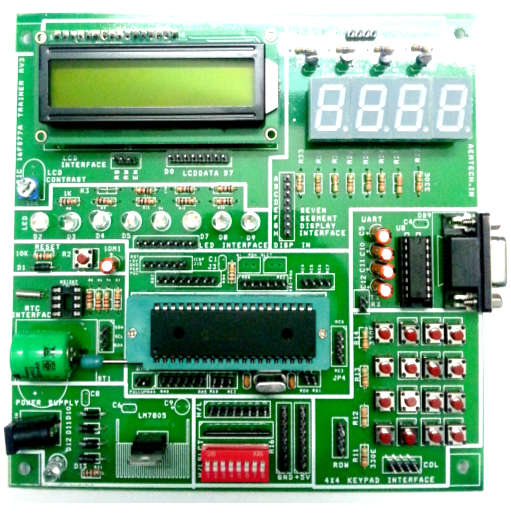
This 8051 evaluation board can be used as a platform for 8051 based application development. Since the board comes with a micro controller with preloaded bootloader, the programs (the hex file) can be flashed without the help of a programming hardware. The board has a regulated +5V DC supply, 16x2 alphanumeric LCD, 4digit seven segment display, 4x4 keypad, DS1307 based RTC with battery backup, 8 high/low logic level ( with pull up) o/p selection with slide switch, 8 LEDs and one RS232 connector. If the PC/Laptop is not having an RS232 port, a standard USB to RS232 converter can be used to connect with the 8051 trainer.
PIC16F877A Evaluation Board
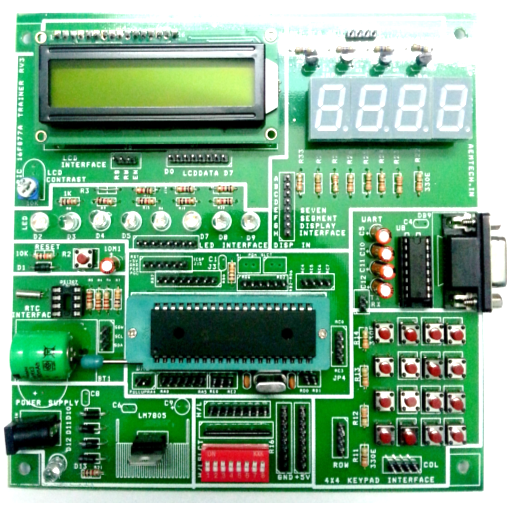
This PIC 16F877A trainer can be used as a platform for PIC16F877A based application development. Since the board comes with a micro controller with preloaded bootloader, the programs (the hex file) can be flashed without the help of a programming hardware. The board has a regulated +5V DC supply, 16x2 alphanumeric LCD, 4digit seven segment display, 4x4 keypad, DS1307 based RTC with battery backup, 8 high/low logic level ( with pull up) o/p selection with slide switch, 8 LEDs and one RS232 connector. If the PC/Laptop is not having an RS232 port, a standard USB to RS232 converter can be used to connect with the PIC trainer.
ATMEGA8 Evaluation Board

This ATMEGA 8L trainer can be used as a platform for ATMEGA8L based application development. The micro controller can be programmed using a standard programmer with ISP capability. The board has a regulated +5V DC supply, 16x2 alphanumeric LCD, 8 keys, 3 LEDs and one RS232 connector. If the PC/Laptop is not having an RS232 port, a standard USB to RS232 converter can be used to connect with the ATMEGA trainer.
Data Converters
USB to Serial Converter ( RS 232)
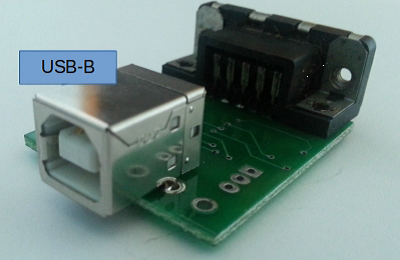
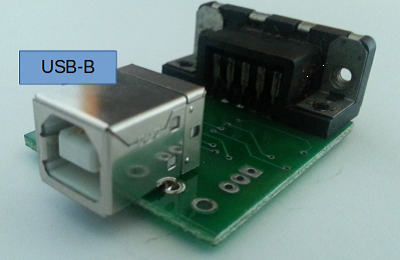
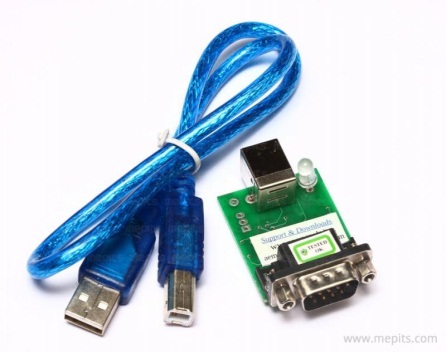
This USB-to-serial ( RS 232 ) converter can be used to convert USB signals to RS232 level signals and vice versa. It can be used in systems where a serial port is not available and the application needs a serial RS232 interface. Silicon Labs CP2102 USB-to-UART Bridge Controller is used in the USB-to-serial converter. The converter is having a USB-B connector so a USB-A to USB-B cable (also called as printer cable) is needed to connect them to one of the computer’s USB ports. The USB-A is connected to the computer and USB-B is connected to the converter. Once the appropriate drivers are installed for the system, the CP2102 will look like a standard serial port. The RS232 level signals are available at the DB9 male connector side. For the details regarding the installation of the drivers, please refer the document In the downloads link.
USB to Serial Converter ( TTL Level Type B Connector )
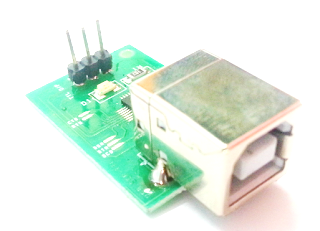
This USB-to-serial (TTL Level) converter can be used to convert the USB signals to serial TTL level signals. This converter can be used to interface the system’s USB port to the TTL level signal pins of a microcontroller. Silicon Labs CP2102 USB-to-UART Bridge Controller is used in the USB-to-serial converter. The converter is having a USB-B connector so a USB-A to USB-B cable (also called as printer cable) is needed to connect them to one of the computer’s USB ports. The USB-A is connected to the computer or Laptop and USB-B connector is connected to the converter. Once the appropriate drivers are installed in the system, the converter look like a standard serial port and can be directly connected to TTL compatible logic devices like the microcontrollers, Modems etc. For the details regarding the installation of the drivers, please refer the document in the downloads link.